

























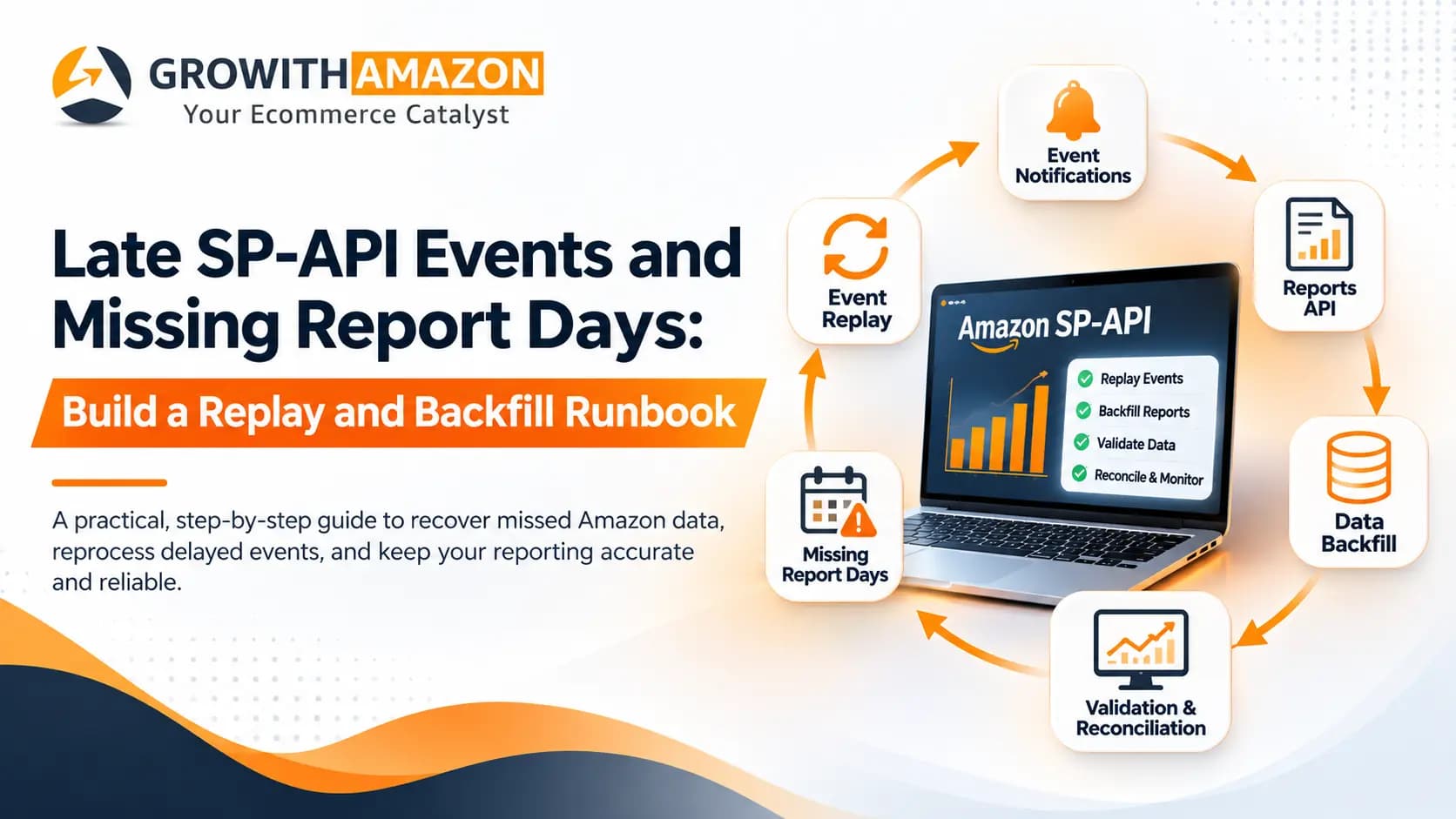
Late Amazon SP-API Events and Missing Report Days: A Complete Replay and Backfill Runbook
Amazon does not document an endpoint that replays past SP-API notifications. To fix late events or missing report days, you combine three sources: events your own system stored, historical reports requested through the Reports API, and your own earlier snapshots. Then you deduplicate, validate and reconcile before you touch the dashboard. This runbook shows how, step by step.
*By Rahul Bisht · Published November 19, 2026 · Last updated November 19, 2026 · 16 min read*
> Quick answer: Amazon does not document an endpoint that replays past SP-API notifications. To fix late events or missing report days, combine three sources: events your own system stored, historical reports requested through the Reports API, and your own earlier snapshots. Then deduplicate, validate and reconcile before you touch the dashboard.
Why a Missing Day in Your Amazon Data Costs More Than It Looks
A dashboard that is wrong by one day rarely looks wrong. It looks like a slow Tuesday. Someone cuts a PPC budget because yesterday's sales appear to have dropped, a reorder is delayed because inventory looks stable, and a finance report goes out with a gap nobody can explain.
That is why reliable Amazon SP-API data synchronization matters well beyond engineering. Sales reporting, inventory visibility, advertising ratios such as ACoS and TACoS, and demand forecasting all sit on top of the same pipeline. When that pipeline loses a notification or a report day, every number built on it inherits the hole. We covered one downstream effect in our guide on stockout-censored demand and reorder forecasts: a data gap does not just hide history, it changes the decisions made from it.
This guide is a working runbook for the moment something has already gone wrong. You will learn how to:
- ●Tell a late event apart from a missed event, a failed report and a broken ingestion job.
- ●Decide which of three recovery sources applies to your gap.
- ●Backfill history through the Reports API without creating duplicates.
- ●Add retries, a dead-letter queue, reconciliation and monitoring so the gap does not come back.
Who this is for: Amazon FBA, FBM and Vendor teams, marketplace account managers, SP-API developers and analysts who maintain Amazon sales or inventory dashboards.
How this guide was prepared: The technical statements come from Amazon's Selling Partner API documentation and AWS documentation reviewed on November 19, 2026, linked where they are used. Scenarios are illustrative, not client case studies. Pseudocode is for explanation and is not production-ready.
Table of Contents
- ●Understanding Amazon SP-API Events
- ●Why Do Amazon SP-API Report Days Go Missing?
- ●Late Events Versus Missing Reports: Which Problem Do You Actually Have?
- ●What Is an Amazon SP-API Replay Strategy?
- ●Amazon SP-API Data Backfill Strategy: How Do You Recover Missing Report Data?
- ●Step-by-Step SP-API Recovery Runbook
- ●How Should You Retry Failed SP-API Calls and Queue Messages?
- ●What Does a Reliable Amazon SP-API Automation Architecture Look Like?
- ●How Do You Prevent Duplicate and Inconsistent Amazon Data?
- ●What Should an SP-API Monitoring and Alerting Dashboard Track?
- ●Common Amazon SP-API Integration Mistakes and How to Prevent Them
- ●Best Practices for a Reliable Amazon SP-API Integration
- ●How GrowithAmazon Can Help
- ●Conclusion: Build for the Gap, Not Just the Happy Path
Need an Amazon expert on your side?
Work with specialists who manage PPC, SEO, catalog, and account health together — so every part of your Amazon business moves in the same direction.
Book a Call TodayUnderstanding Amazon SP-API Events
What Is Amazon SP-API Data Synchronization?
Amazon SP-API data synchronization is the process of keeping your own database and dashboards aligned with what happened in Amazon's systems. It combines push signals (notifications for changes as they happen), pull requests (reports and API calls for complete data) and checks (reconciliation) so that no order, inventory snapshot or reporting day is silently missing.
The Selling Partner API (SP-API) is the programmatic interface to Seller Central and Vendor Central data. Most integrations use it in two ways at once, and the difference between those two ways is the key to every recovery decision in this article.
How Do SP-API Notifications Work?
The Notifications API lets you create a destination, subscribe to notification types and delete subscriptions. Instead of polling, your application receives a message when a subscribed event occurs. That design is called event-driven: Amazon pushes a small message, and your system decides what to do with it.
In the SQS workflow, you give SP-API permission to write to an Amazon SQS queue, create a destination, then create a subscription. Types delivered this way include ORDER_CHANGE, ITEM_SALES_EVENT_CHANGE, ITEM_INVENTORY_EVENT_CHANGE, TRANSACTION_UPDATE and REPORT_PROCESSING_FINISHED. Other types, such as listing status changes, use the EventBridge workflow instead.
Each notification carries a type, a payload, an EventTime in UTC and a metadata object. Inside that metadata, NotificationId identifies the notification instance, which becomes your deduplication key later.
Three properties of the SQS delivery matter for recovery, and Amazon states all three in the same tutorial:
- ●SP-API cannot deliver to FIFO queues. You must use standard queues.
- ●Notifications may arrive out of order.
- ●Notifications may be delivered more than once, so your consumer must accept duplicates.
Why Can Notifications Be Delayed or Missed?
Some lateness is by design. ITEM_SALES_EVENT_CHANGE and ITEM_INVENTORY_EVENT_CHANGE are sent at the beginning of every hour and can include delayed data from up to 24 hours earlier. A row that appears "late" in an hourly feed may simply be Amazon's own late-arriving data.
True misses usually come from one of four places: SP-API lost write permission to your queue (or to your encryption key if the queue uses server-side encryption), a subscription or destination was deleted or filtered too narrowly, your consumer was down longer than the queue retains messages, or the message reached you and your code dropped it. Amazon's own guidance is to build a backup mechanism for retrieving needed information during an unexpected outage or delay in notification delivery. The rest of this runbook is that backup mechanism.
What Is the Difference Between SP-API Notifications and Reports?
Notifications tell you that something changed; reports give you the data for a defined window. Notifications are small, event-sized and best for speed. Reports are larger, request-driven documents that are best for completeness and for recovering history, within the retention limits of each report type.
| Aspect | Notifications | Reports API |
|---|---|---|
| Trigger | Amazon pushes when an event occurs | You request a report for a type, marketplace and date range |
| Delivery | SQS or EventBridge destination you own | Asynchronous: create, poll or wait for a notification, download |
| Best for | Fast reaction, near-real-time updates | Complete daily data, audits, backfills |
| Replayable from Amazon? | No documented replay endpoint | Yes, by creating a new report, while the data is still available for that type |
| Typical failure | Delay, miss, duplicate | FATAL, CANCELLED, expired download, bad date window |
Need an Amazon expert on your side?
Work with specialists who manage PPC, SEO, catalog, and account health together — so every part of your Amazon business moves in the same direction.
Book a Call TodayWhy Do Amazon SP-API Report Days Go Missing?
Report days go missing when any stage between Amazon and your database fails without raising an alert: delivery, authentication, request, report generation, scheduling, queue processing, ingestion or date handling. The gap usually appears downstream, in a dashboard, long after the actual failure.
| Cause | How it shows up | First check |
|---|---|---|
| Notification delivery interruption | Event table has a hole for a time range | Queue permissions, encryption key policy, subscription still active |
| Failed API request | A job logs an error and never retries | HTTP status and retry count for that day's job |
| Expired or revoked authentication | Every call for one seller or marketplace fails together | Refresh token status and the seller's authorization |
| Rate limiting and throttling | Many 429 responses, jobs finish late | Request rate against the operation's usage plan |
| Report generation failure | Report status FATAL, or CANCELLED with no data | Report status, report type, options and date window |
| Scheduling error | A whole day has no job record | Scheduler history, overlapping runs, skipped runs |
| Queue processing failure | Messages pile up or land in the dead-letter queue | Visibility timeout, receive count, DLQ depth |
| Database ingestion error | File downloaded but row counts are short | Row count in the raw file versus the table |
| Time-zone mismatch | One day looks short and the next looks long | UTC event times versus the marketplace's local day |
| Incorrect date-window handling | Overlaps or one-day gaps between consecutive runs | Window boundaries and the end-time rule |
Two points deserve more than a table row.
Throttling
SP-API uses a token-bucket model: each request spends a token, and an empty bucket returns 429. Amazon describes 429 as retryable and says repeated throttling needs a back-off strategy. Reports operations have low rates. The published model lists getReports at about 0.0222 requests per second with a burst of 10, so a backfill that fires dozens of requests at once will throttle itself. Check the live usage plan documentation, because limits can change.
Date Windows
For createReport, dataEndTime must be earlier than or equal to the current time, and not every report type uses the start and end times at all. A scheduler that assumes every report honors them will quietly request the wrong window.
How Do I Handle Delayed Amazon SP-API Notifications?
Treat notifications as fast hints, not as your source of truth. Write every event idempotently using NotificationId, allow late-arriving rows to update earlier periods, and run a scheduled reconciliation against a report or the Orders API so a late or missing event is eventually corrected without manual work.
Need an Amazon expert on your side?
Work with specialists who manage PPC, SEO, catalog, and account health together — so every part of your Amazon business moves in the same direction.
Book a Call TodayLate Events Versus Missing Reports: Which Problem Do You Actually Have?
Before recovering anything, name the failure. The recovery path differs for each one, and applying the wrong one is how duplicates and double counting happen.
| Situation | How it shows up | Where it usually lives | Recovery approach |
|---|---|---|---|
| Delayed notification | Arrives hours late or out of order | Amazon batching or your consumer lag | Upsert idempotently; let late rows update earlier periods; no replay needed |
| Missed notification | Never arrives; gap in the event table | Subscription, queue permissions, outage | No documented replay endpoint. Fill the gap from reports or the Orders API, then fix the cause |
| Duplicate notification | Same NotificationId appears twice | At-least-once SQS delivery | Dedupe on NotificationId; make the write idempotent |
| Failed report generation | Status FATAL or CANCELLED | Reports API request | Read the status, correct type, options or window, then request again |
| Missing report download | Status DONE, but no stored file | Your downloader or the retention window | Fetch the document again; if outside retention for that type, create the report again |
| Incomplete data ingestion | File is fine, table is short | Your parser, queue or database | Reload from the stored raw file; compare row counts; reconcile |
One detail trips teams up: a report that reaches CANCELLED is not always a failure. Amazon documents two ways a report ends up cancelled, an explicit cancellation before processing starts, or an automatic cancellation when there is no data to return. Alerting on every CANCELLED status will bury you in false alarms on quiet marketplaces. Alert instead when a day you expected to have data comes back empty.
Need an Amazon expert on your side?
Work with specialists who manage PPC, SEO, catalog, and account health together — so every part of your Amazon business moves in the same direction.
Book a Call TodayWhat Is an Amazon SP-API Replay Strategy?
An SP-API replay strategy is a way to safely reprocess events your own system already received. You capture each notification in durable storage before processing it, tag it with an identifier, and write handlers that can run twice without changing the result. Replay re-runs retained events; it does not ask Amazon for old ones.
That last sentence is the point most articles blur. There are three different recovery sources, and each has different limits:
| Recovery source | What you do | What it depends on | Typical use |
|---|---|---|---|
| 1. Retained events | Re-run notifications your integration stored | Whether you stored the raw message before deleting it | A bug in your handler, a bad deployment, a failed database write |
| 2. Historical reports | Request new reports through the Reports API | The report type, marketplace, date range and retention limit | Days where nothing reached you, or data was lost downstream |
| 3. Your own snapshots | Rebuild from earlier stored records | Whether you kept daily snapshots or raw files | Inventory history and anything Amazon only reports as "current state" |
How to Implement Amazon SP-API Event Replay
The design rule is capture first, process second. Write the raw message to durable storage (a database table or object storage) and only then delete it from the queue. If you process first and the handler fails after deletion, the event is gone and no replay is possible.
A minimal event ledger needs these fields:
| Field | Purpose |
|---|---|
| notification_id | Unique key from the notification metadata; drives deduplication |
| notification_type and payload_version | Lets the right handler and parser version replay old events |
| event_time (UTC) and received_at | Separates when it happened from when you got it |
| raw_payload | The untouched message, so a fixed parser can reread it |
| seller_id and marketplace_id | Scopes a replay to the affected account |
| status and attempts | received, processed, failed, replayed, and how many tries |
A replay job then selects ledger rows by type, account and time range, runs them through the same handler with a replay flag, and records the run. Because the handler writes with upserts keyed on a business key, running it twice produces the same table. Replay is safe only when the handler is idempotent, which is why Step 7 of the runbook puts idempotency before validation.
You can use the Notifications API's sendTestNotification operation to check that a destination can receive messages, but it is a connectivity test, not a way to re-send history.
Need an Amazon expert on your side?
Work with specialists who manage PPC, SEO, catalog, and account health together — so every part of your Amazon business moves in the same direction.
Book a Call TodayAmazon SP-API Data Backfill Strategy: How Do You Recover Missing Report Data?
How to Recover Missing Amazon SP-API Reports
Identify the missing dates, choose the report type that covers them, request that report for the missing window through the Reports API, wait until processing finishes, download the document, validate it against control totals, and load it with an upsert. Do it in small, sequential windows to respect throttling.
The Reports API v2021-06-30 is the current version. The older v2020-09-04 version was retired in 2024, so integrations still calling it need to migrate. These are the operations you will use:
| Operation | Role in a backfill | Limits to respect |
|---|---|---|
| createReport | Requests a report. reportType and marketplaceIds are required; dataStartTime, dataEndTime and reportOptions are optional and depend on the type | dataEndTime must be at or before the current time; some types ignore the window |
| getReport | Poll for status: IN_QUEUE, IN_PROGRESS, DONE, CANCELLED or FATAL | Poll gently; the operation has its own usage plan |
| getReports | List past requests, filtered by type, status and creation time | Requires reportTypes or a nextToken; looks back 90 days by default |
| getReportDocument | Returns a pre-signed download URL plus compression and encryption details | Download promptly; documents expire |
| cancelReport | Cancels a request | Only works while the status is IN_QUEUE |
As an alternative to polling, subscribe to the REPORT_PROCESSING_FINISHED notification. It fires when a report you requested reaches DONE, CANCELLED or FATAL. Use it as a trigger, but keep a slow polling fallback, because the notification can be late or missed for the same reasons as any other.
Identify the Missing Dates First
Build a calendar of every expected date per marketplace and report type, then subtract what you hold. The difference is your backfill list.
Check Availability Before You Plan
Amazon changed report retention in May 2024: documents are kept for varying durations per report type, and a report you did not download in time must be generated again. The Reports FAQ states that where a type has no explicit retention, documents are kept for 90 days. Check the Report Type Values page for each type you rely on, because this is the limit that decides whether a gap is recoverable at all.
Select the Right Report Type
The choice depends on what you are rebuilding:
| You need | Candidate report type | Worth knowing |
|---|---|---|
| Orders placed in a date range | GET_FLAT_FILE_ALL_ORDERS_DATA_BY_ORDER_DATE_GENERAL | Request-only; order tracking, not fulfillment |
| Orders changed in a date range | GET_FLAT_FILE_ALL_ORDERS_DATA_BY_LAST_UPDATE_GENERAL | Includes updates regardless of channel or status; scheduling not supported |
| FBA shipped items | GET_AMAZON_FULFILLED_SHIPMENTS_DATA_GENERAL | Request-only; Amazon documents up to one month of data per request |
| Seller sales and traffic | GET_SALES_AND_TRAFFIC_REPORT | Seller-only; check its own date rules |
| Settlements and payouts | GET_V2_SETTLEMENT_REPORT_DATA_FLAT_FILE_V2 | Amazon generates settlement reports itself; retrieve rather than request |
The FBA report documentation adds two details that affect backfills: near-real-time FBA reports are generated no more than once every 30 minutes, and daily FBA reports no more than once every four hours, while the "All Orders" reports are exempt from that limit. Some report types are restricted because they contain customer information and need a Restricted Data Token to download.
Validate and Load
Parse tolerantly. Amazon notes that it periodically adds fields and values to reports, so a strict parser will break on a harmless change. Compare the row count to the file, compare totals to a control figure, then upsert.
For order-level gaps there is a second pull source. The Orders API getOrders operation can select by LastUpdatedAfter, which catches status changes as well as new orders. Amazon notes a small systematic delay of about two minutes before data is available, and that most marketplaces return orders from the last two years. It is useful for spot-checking a recovered day against an independent source.
Need an Amazon expert on your side?
Work with specialists who manage PPC, SEO, catalog, and account health together — so every part of your Amazon business moves in the same direction.
Book a Call TodayStep-by-Step SP-API Recovery Runbook
This ten-step runbook is the practical core of Amazon API data recovery. Follow it in order; steps 4 and 7 prevent most of the damage people cause while fixing a gap.
Step 1: Detect Missing Reporting Dates
Objective: produce an authoritative list of gaps, not an impression of them.
Actions: left-join a date calendar to your data per marketplace and report type. Flag dates with no rows, and dates whose volume falls far below the trailing average.
Expected output: a gap list with marketplace, report type, date and severity.
Common mistake: treating a genuinely quiet day as a failure, or spotting gaps by eye on a chart.
Step 2: Identify the Affected Marketplace and Report Type
Objective: shrink the problem before you act on it.
Actions: group the gaps by seller account, marketplace and report type. If every gap shares one account, suspect authorization or credentials rather than Amazon.
Expected output: an incident record with a defined scope.
Common mistake: re-running every account at once, which triggers throttling and makes the incident larger.
Step 3: Check the Existing Synchronization Logs
Objective: reconstruct what your system believes happened.
Actions: for the affected window, pull job runs, HTTP status codes, reportId values and statuses, queue depth and dead-letter queue contents.
Expected output: a timeline of attempts and outcomes per gap.
Common mistake: discovering that the pipeline never logged the reportId, so nothing can be traced.
Step 4: Identify Where the Failure Occurred
Objective: name one failing layer: event delivery, report generation, download or ingestion.
Actions: match the evidence to the layer.
- ●Hole in the event table, reports fine: delivery.
- ●Report status FATAL, or no report at all: generation.
- ●Status DONE but no stored file: download.
- ●File stored but rows missing: ingestion.
Expected output: a single named layer and a probable cause.
Common mistake: requesting new reports when the raw file already sits in storage. That is an ingestion bug, and a new report only adds duplicates.
*Illustrative scenario (not a client case):* an operations team sees three missing days for one UK marketplace and normal data elsewhere. The logs show 401 errors for that account only, starting on the first missing day. The failing layer is authentication, so the fix is to restore the seller authorization first, and only then backfill.
Step 5: Recover Available Historical Report Data
This is the step that answers how to rebuild missing Amazon sales report data.
Objective: retrieve what Amazon still holds for the gap.
Actions: for an ingestion fault, reload the stored raw file. Otherwise create reports for the missing windows in small chunks, one after another, with backoff, and store each raw file with its reportId, type, window and checksum before parsing.
Expected output: raw files in durable storage, each tied to a window.
Common mistake: requesting a single enormous window, ignoring a report type's date limit, or waiting until the retention window has passed.
Step 6: Reprocess Retained Events Where Appropriate
Objective: recover event-driven tables from your own ledger.
Actions: replay ledger rows for the affected type, account and time range through the normal handler with the replay flag on.
Expected output: a replay run record with counts of processed, skipped and failed events.
Common mistake: replaying events into a table that a report also writes, so the same sale is counted once from each source. Decide which source owns each table before you replay.
Step 7: Apply Idempotency Controls
Objective: make a second run harmless.
Actions: enforce unique keys: notification_id for events, report id plus file checksum for report loads, and a business key for rows (for example order id plus order item id, or marketplace plus date plus ASIN for daily aggregates). Load into a staging table, then merge.
Expected output: the same table state no matter how many times a load runs.
Common mistake: appending rows with a plain insert.
Step 8: Validate Recovered Records
Objective: prove the recovered data is right before anyone sees it.
Actions: check row count against the file, dates against the requested window, currency and units, required fields, and totals against a control figure.
Expected output: a validation result per window: pass, fail or investigate.
Common mistake: validating the row count only. A file can have the right number of wrong rows.
Step 9: Reconcile the Reporting Database
Objective: make every layer agree.
Actions: compare corrected daily totals with an independent source, such as an Orders API sample or a Seller Central export. Then refresh aggregates, materialized views and cached dashboard data.
Expected output: a reconciliation table showing before, after and difference per date.
Common mistake: fixing the base table and leaving stale aggregates that keep the dashboard wrong.
Step 10: Record Recovery Status and Close the Incident
Objective: turn the fix into prevention.
Actions: log the root cause, the windows recovered, report ids, row counts before and after, and who approved. Add the alert or check that would have caught it sooner.
Expected output: a closed incident with a prevention task attached.
Common mistake: closing the incident without changing anything that stops a repeat.
Need an Amazon expert on your side?
Work with specialists who manage PPC, SEO, catalog, and account health together — so every part of your Amazon business moves in the same direction.
Book a Call TodayHow Should You Retry Failed SP-API Calls and Queue Messages?
Retry only errors that can succeed later: throttling (429) and transient server or network failures. Use exponential backoff with jitter, a maximum delay and a retry limit. Do not blindly retry request errors such as 400; fix the request or authorization instead. Send jobs that exhaust their retries to a dead-letter queue.
Amazon's guidance on optimizing rate limits recommends exponential back-off, and its throttling monitoring guide adds that back-off needs a maximum delay and a maximum retry count because exponential growth gets long quickly, and that jitter prevents retries from colliding. It also suggests dashboards and alert thresholds on error rates per operation.
| Error class | Example | Retry? | What to do |
|---|---|---|---|
| Throttling | 429 | Yes | Back off with jitter; lower your sustained request rate |
| Transient failure | 5xx, timeouts, dropped connections | Yes, limited | Back off, cap the attempts, then dead-letter |
| Authentication | 401, 403 after token expiry | Once | Refresh the access token and retry once. If it fails again, stop and alert, because the authorization may have been revoked |
| Bad request | 400 | No | Fix the report type, options or dates; log the request |
| Missing resource | 404 on a document | No | Check whether it passed its retention window; create the report again |
Pseudocode: Retry With Backoff
This is illustrative pseudocode to explain the logic. It is not production-ready code: it omits logging, metrics, per-operation rate limiting and real credential handling.
```python # ILLUSTRATIVE ONLY. Not production-ready. def call_with_retry(request, max_retries=5, base_seconds=2.0, cap_seconds=120.0): refreshed = False for attempt in range(max_retries + 1): response = send(request)
if response.ok: return response
if response.status == 429 or response.status >= 500: if attempt == max_retries: raise RetriesExhausted(request.id) # caller routes to failed-job tracking ceiling = min(cap_seconds, base_seconds * (2 ** attempt)) sleep(random_between(0, ceiling)) # exponential backoff with jitter continue
if response.status in (401, 403) and not refreshed: refresh_access_token() # one refresh only refreshed = True continue
raise NonRetryable(response.status, request.id) # do not hammer a request that cannot succeed ```
Pseudocode: An Idempotent Queue Consumer
```python # ILLUSTRATIVE ONLY. Not production-ready. def consume(message): note = parse(message.body)
# Capture first. A unique constraint on notification_id makes a duplicate a no-op. inserted = ledger.insert_raw_if_new(note.notification_id, note)
try: if inserted: handler.upsert(note) # idempotent write keyed on a business key ledger.mark_processed(note.notification_id) queue.delete(message) # delete only after the work is safely stored except Exception as err: ledger.mark_failed(note.notification_id, err) # Do not delete. After maxReceiveCount the queue moves it to the dead-letter queue. ```
Queue Settings That Support Recovery
SP-API delivers to standard SQS queues, so the AWS behaviors below apply directly. All are from the AWS SQS documentation on visibility timeout and dead-letter queues.
| Setting | Guidance |
|---|---|
| Visibility timeout | Defaults to 30 seconds. Set it longer than your worst-case processing time. You can extend it with ChangeMessageVisibility, up to a 12-hour ceiling from first receipt |
| Delivery model | At-least-once, so duplicates can occur even inside the timeout. Idempotent handlers are mandatory |
| maxReceiveCount | Set high enough to allow genuine retries. A value of 1 sends a message to the dead-letter queue after a single failed receive |
| Dead-letter queue type | A standard queue's dead-letter queue must also be a standard queue |
| DLQ retention | For standard queues the original enqueue time is kept, so set the DLQ retention longer than the source queue's |
| Alarms | Alarm on dead-letter queue depth so a stuck message is a page, not a surprise |
| Redrive | Move messages back to the source queue once the cause is fixed |
Keep a separate failed-job table for report and API work that is not queue-based, with the request, attempt count, last error and next retry time. Duplicate prevention then rests on three things you already built: unique keys, upserts and the ledger.
Need an Amazon expert on your side?
Work with specialists who manage PPC, SEO, catalog, and account health together — so every part of your Amazon business moves in the same direction.
Book a Call TodayWhat Does a Reliable Amazon SP-API Automation Architecture Look Like?
A reliable architecture receives notifications into a durable queue, captures each one in a ledger before processing, writes with idempotent upserts, and runs a scheduled reconciliation that detects gaps and backfills them through the Reports API. Push gives speed; scheduled pull gives completeness. You need both.
The flow for this Amazon SP-API data synchronization design is: SP-API notifications into an SQS queue, an event worker, a database, then the dashboard. The scheduled reconciliation and backfill path runs beside it and shares the same ledger and database, which is what lets one idempotent write path serve both.
```mermaid flowchart LR SPAPI["Amazon SP-API"] -->|notifications| Q["SQS standard queue"] Q --> W["Event worker"] Q -.->|after max receives| DLQ["Dead-letter queue"] W --> L[("Event ledger and raw files")] W --> DB[("Reporting database")] DB --> DASH["Reporting dashboard"] SCH["Scheduler"] --> GAP["Gap detector"] GAP -->|reads coverage| DB GAP -->|missing dates| BQ["Backfill queue"] BQ --> BW["Backfill worker"] BW -->|createReport, getReport, getReportDocument| SPAPI BW --> L BW --> DB DLQ --> ALERT["Alerts"] GAP --> ALERT ```
How the pieces divide the work:
- ●Event worker: captures, then processes, notifications. Fast and cheap, and allowed to be late.
- ●Gap detector: a scheduled job that compares expected dates with stored data and queues the difference. It is the safety net for everything the event path misses.
- ●Backfill worker: requests reports in small sequential windows, respects the Reports API's low rate limits, stores each raw file and loads through the same upsert path.
- ●Dead-letter queue and alerts: make failure visible instead of silent.
This is also where an automation tool can help. n8n is a reasonable orchestrator for the scheduled parts: a schedule trigger can start the gap detector, HTTP Request nodes can call the Reports API, and an error workflow can post alerts. Keep heavy parsing and database writes in your worker or database rather than inside long workflow chains, and check n8n's current documentation for node behavior before you rely on a specific feature. For teams that would rather not build and run this themselves, our Amazon EDI, SP-API and ERP integration service covers this kind of integration work.
Need an Amazon expert on your side?
Work with specialists who manage PPC, SEO, catalog, and account health together — so every part of your Amazon business moves in the same direction.
Book a Call TodayHow Do You Prevent Duplicate and Inconsistent Amazon Data?
Prevent bad data with controls at three points: unique keys on the way in, validation checks before data is published, and a reconciliation against an independent source afterward. Each of the six common failure modes below maps to one control you can automate.
| Failure to prevent | Control |
|---|---|
| Duplicate sales records | Unique business key plus upsert; never a plain insert |
| Missing order data | Daily gap detector; compare counts to an Orders API sample |
| Incorrect reporting dates | Store UTC timestamps, derive the marketplace-local date in a separate column, and use one rule for window boundaries |
| Incomplete inventory snapshots | Store a dated snapshot every day; most inventory reports describe the present, so a missed day usually cannot be recreated later (confirm per report type) |
| Duplicate report ingestion | Unique key on reportId plus file checksum; reject a second load |
| Inconsistent marketplace-level reporting | Validate each marketplace separately, never only the global total, and check currency |
A reconciliation table makes the result auditable. The numbers below are illustrative, not from a real account.
| Date | Marketplace | Orders in report | Orders from Orders API | Dashboard before | Dashboard after | Status |
|---|---|---|---|---|---|---|
| Nov 3 | UK | 412 | 412 | 0 | 412 | Recovered |
| Nov 4 | UK | 398 | 398 | 211 | 398 | Recovered (partial load fixed) |
| Nov 5 | UK | 365 | 366 | 365 | 365 | Investigate: one order differs |
The last row shows why you keep an independent source. A one-order difference is often an order whose status changed after the report was generated, and the LastUpdatedAfter filter on getOrders helps explain it. Investigate it, rather than forcing the numbers to match.
Need an Amazon expert on your side?
Work with specialists who manage PPC, SEO, catalog, and account health together — so every part of your Amazon business moves in the same direction.
Book a Call TodayWhat Should an SP-API Monitoring and Alerting Dashboard Track?
Track freshness, completeness, failure and duplication for every marketplace and report type: last successful sync, missing report dates, pending reports, failed requests, retries, latency, duplicates and backfill progress. Together they show a problem while it is still a small gap, long before someone notices a strange number in a dashboard.
The thresholds below are starting points. Tune them to your schedule: a daily report job and an hourly notification feed need different limits.
| Metric | What it tells you | Example alert |
|---|---|---|
| Last successful synchronization | Freshness per marketplace and data type | Older than two scheduled intervals |
| Missing report dates | Completeness against the expected calendar | Any missing date older than one day |
| Pending reports | Requests stuck in IN_QUEUE or IN_PROGRESS | Pending longer than the usual completion time for that type |
| Failed API requests | Health of each operation, split by status code | Error rate above your baseline for an operation |
| Retry count | Hidden strain before jobs actually fail | Retries rising week over week |
| Processing latency | Time from EventTime to a processed row | Latency above your agreed freshness target |
| Duplicate record count | Whether idempotency controls are working | Any non-zero count in a table that should be unique |
| Backfill completion rate | Progress and stalls in recovery jobs | A backfill that stops advancing |
| Marketplace-level sync status | One red, amber, green view per account and marketplace | Any marketplace red for more than one cycle |
Why these metrics work: freshness and missing-date counts are leading indicators, because they change the moment a stage stops, while a revenue chart only shows the damage afterwards. Failed requests and retry counts add the reason. A seller whose authorization expired, for example, produces a cluster of authentication failures for one account a full day before the first missing date reaches the dashboard.
Need an Amazon expert on your side?
Work with specialists who manage PPC, SEO, catalog, and account health together — so every part of your Amazon business moves in the same direction.
Book a Call TodayCommon Amazon SP-API Integration Mistakes and How to Prevent Them
1. Treating Notifications as the Only Source of Data
Notifications are push signals and can be late, missed or duplicated. Add a scheduled reconciliation against reports or the Orders API.
2. Deleting the Queue Message Before the Data Is Safely Stored
Capture to the ledger first, delete last.
3. Expecting Ordered Delivery
SP-API delivers to standard queues with best-effort ordering. Make handlers order-independent and use event time, not arrival order.
4. Skipping Deduplication
Standard queues can deliver a notification twice. Enforce a unique key on NotificationId and write with upserts.
5. Requesting a Huge Historical Window in One Call
Report types have their own limits and the operations have low rates. Backfill in small sequential windows.
6. Ignoring Report Retention
Documents are kept for limited, type-specific periods. Download promptly and store raw files yourself so your archive does not depend on Amazon's window.
7. Alerting on Every CANCELLED Report, or on None
A CANCELLED status can simply mean no data. Alert on an expected day that returns empty.
8. Mixing UTC and Local Dates
Store UTC, derive the marketplace date separately and define the window boundary rule once.
9. Using a Strict Parser
Amazon adds fields and values to reports over time. Parse tolerantly and log unknown columns instead of failing the whole file.
10. Not Logging Identifiers
Without reportId, notification_id and a job id on every log line, an incident turns into guesswork.
Need an Amazon expert on your side?
Work with specialists who manage PPC, SEO, catalog, and account health together — so every part of your Amazon business moves in the same direction.
Book a Call TodayBest Practices for a Reliable Amazon SP-API Integration
Monitoring
- ●Run a gap detector every day and review the missing-date count.
- ●Alert on dead-letter queue depth, authentication failure clusters and stale last-sync times.
Security
- ●Keep credentials and refresh tokens in a secrets manager, never in code or workflow exports.
- ●Give the queue and workers least-privilege access, and if you use server-side encryption, grant SP-API access to the key as Amazon's setup tutorial describes.
- ●Request restricted reports, which need a Restricted Data Token, only where the business truly needs customer data.
Retry Handling
- ●Use exponential backoff with jitter, a maximum delay and a retry limit.
- ●Route exhausted work to a dead-letter queue and a failed-job table.
Reconciliation
- ●Compare recovered and live data with an independent source on a schedule.
- ●Refresh aggregates and cached dashboard tables after every correction.
Data Retention
- ●Store the raw event and the raw report file. Amazon's retention is limited, so your copy is the archive.
- ●Follow Amazon's data-protection requirements and your own retention policy for any personal data.
Documentation
- ●Write down which source (events, reports or snapshots) owns each table.
- ●Keep this runbook, with owners and escalation contacts, next to the pipeline code.
Automation
- ●Automate gap detection and chunked backfills, and keep a human approval step for large recoveries.
- ●Test the recovery path on a sandbox or a single low-risk marketplace before you need it.
Need an Amazon expert on your side?
Work with specialists who manage PPC, SEO, catalog, and account health together — so every part of your Amazon business moves in the same direction.
Book a Call TodayHow GrowithAmazon Can Help
Most Amazon teams do not want to become data-pipeline specialists. They want sales, inventory and advertising numbers they can trust on a Monday morning, so that decisions about budgets, stock and pricing rest on facts.
GrowithAmazon works with Seller Central and Vendor Central businesses across several Amazon marketplaces. Our Amazon EDI, SP-API and ERP integration service connects Amazon with the systems a business already runs, covering orders, inventory, product data and marketplace workflows. That is the layer where a notification queue, a report schedule and a reconciliation job live.
The data layer also supports day-to-day marketplace operations. Teams using our Seller Central management, Vendor Central management or inventory management services depend on accurate order and stock records. If you run a 1P business, our Vendor Central operations guide shows where purchase-order and inventory data fit. The same reconciliation habit applies on other marketplaces too: see our walkthrough of Noon statement of account reconciliation.
Better data infrastructure does not make marketplace decisions for you. It removes a category of doubt, so people spend their time on strategy and not on arguing about whether yesterday's number is real.
Ready to Build Your Next Amazon Success Story?
If you're facing low sales, rising ACOS, inventory challenges, or declining performance, our Amazon agency can help. Book a free strategy consultation and discover the opportunities that can transform your business.
Conclusion: Build for the Gap, Not Just the Happy Path
Every SP-API integration will eventually meet a late event, a missing report day or a failed job. What separates a minor correction from a week of confusion is whether recovery was designed in advance.
Three ideas carry this runbook. First, be precise about the recovery source: retained events, historical reports, or your own snapshots, because Amazon does not document a notification-replay endpoint. Second, make every write idempotent, so replays and backfills can run twice without harm. Third, reconcile continuously and monitor freshness, so gaps surface in hours and not in the next monthly review.
A useful first step this week: change your consumer so it stores each raw notification before deleting it from the queue, then add one daily check that lists missing report dates per marketplace. Those two changes alone turn most future gaps into routine tickets. If you would like help designing them, our contact page is the place to start.
*Last reviewed against Amazon and AWS documentation on November 19, 2026. Notification types, report retention periods and rate limits can change, so confirm them on the linked pages before relying on a specific number.*
Explore the latest Amazon insights, content, and optimization guides trending with sellers in 2026.
Written by Rahul Bisht
Related Articles
Amazon Strategy
Stockout-Censored Demand: Why Your Amazon Reorder Forecast Is Underestimating Actual Demand
Amazon Strategy
Single Unit, Multipack or Bundle? Prevent Amazon Product Identifier Mismatches With a Packaging Master
Noon Marketplace