Product photography and image editing for Amazon listings

Amazon Product Photography & Image Services

Main images, infographics, lifestyle shots and A+ graphics. Shot in our studio or rebuilt from your raw photos, checked against Amazon's image rules, and delivered as files you keep.

  • 9 slots planned per product
  • Checked before upload
  • Preview before anything uploads

What every Amazon image set includes

  • Main image on pure white (RGB 255, 255, 255), product filling 85% of the frame and 2000 px for zoom
  • Infographics and feature callouts that stay readable on a phone screen
  • Lifestyle and scale images that show the product in real use and at real size
  • A+ Content and Brand Store graphics in Amazon's current module sizes
  • Layered source files for every edit, handed over for you to keep

Studio product photography or editing of the photos you already have, for Amazon US, UK, UAE, Saudi Arabia, India, Europe and every other marketplace.

Get a Free Sample Image Edit

Checked against Amazon's image rules ยท Reply within 1 business day

Preview before anything uploads ยท Files are yours to keep

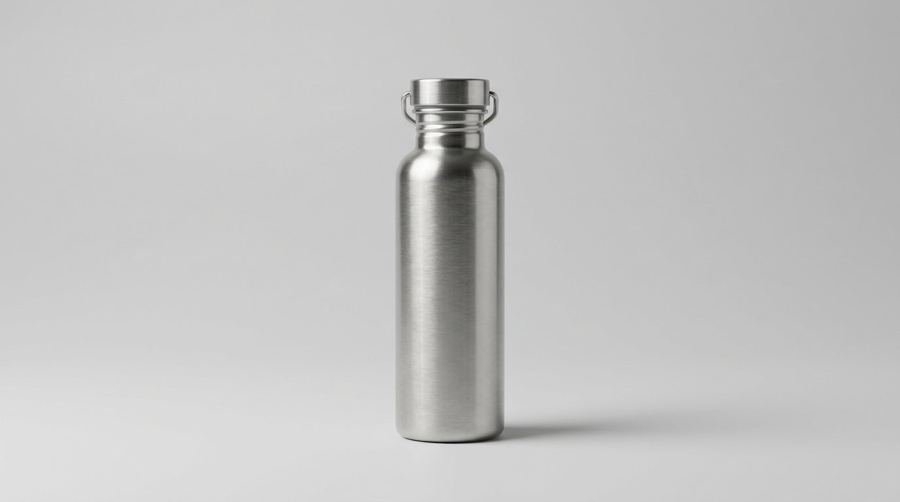
A brushed steel water bottle on a light grey studio backdrop, soft side light and a clean shadow. No text, no people.
Illustrative product photo, generated for this page. Not a client product.
35,000+
ASINs across our desks, the listings this imagery serves
9
image slots per product, each with one job
5
rule gates every image passes before upload
5 to 7 business days
working turnaround for a product set, agreed at the start of each project

Two ways in

Send Us the Product, or Send Us the Photos?

Most Amazon product photography projects start with one question: do you have a product we can photograph, or photos you already have that need rebuilding? Both routes end at the same standard.

Lane A

We shoot it

Ship us the product. We set up studio lighting, staging, angles, product groups and lifestyle scenes, then send the selected frames for your review.

Not this route when: very large or industrial items go to the editing lane, or get a separate scope.

Lane B

We edit yours

Send your raw photos. We remove the background to pure white, correct colour, retouch, and compose each frame to the main-image standard.

Not this route when: the source is too soft or too dark to work with. We grade it first and tell you plainly if it is not.

Most catalogues use both lanes. Lane B is photo editing for brands that already have images. The SKU map at the start of each project shows which lane each product takes.

At the first call we ask for four things: the product facts (size, weight, materials and what is in the box), the SKU list with the slots each product needs, the current listing and its images, and any photos you already have. Competitor listings help us see which questions shoppers are being shown answers to in your category, and which are left open.

If you send raw photos, we grade them before any design work starts. We look at sharpness, exposure, colour accuracy against the physical product, how much of the frame the product fills, and whether the edges are clean enough to cut out. A grade tells you what the source can and cannot become, which saves time on both sides.


The no-touch problem

What Do Images Actually Do to an Amazon Listing?

Shoppers cannot pick up the product, turn it over or read the back of the box. Images are how they examine it. Each image slot answers one question. A slot left empty leaves that question with the shopper, who may simply open a competitor's listing.

The listing copy wraps around the images. Our listing team works on that side, and the two sets of work are planned together. Listing images and listing copy should answer the same questions in the same order.

Most shoppers see the main image at search size, long before they open the listing. At that size the product has to be recognisable in a glance. That is why the main image gets the most care, and why every later image is planned to answer the question the first one raises.

Once a shopper opens the listing, the second and third images decide whether they keep reading. A buyer who has seen the product from one angle wants to see it from another, see its size against something familiar, and understand what it does. Each of those questions has a slot in our plan.

See how listing copy and images are planned together.

The buyer's question ladder Five questions a shopper asks, climbing from what is it to why this one, each linked to an image slot number. S1What is it? S2What does it look like from here? S3How big is it? S5Will it fit my life? S6Why this one?
Five questions a shopper asks, mapped to the slots that answer them.

The centrepiece

The Nine-Slot Stack: Every Image Has One Job

For Amazon product photography, the set is planned around the buyer. Amazon allows up to nine images per listing. We plan all nine where the product needs them, because each slot has a different job. Not every slot is visible by default on every device, so the order matters: the most important questions go first.

  1. S1

    Main image

    Wins the click

    "What is this?"

  2. S2

    Alternate angles

    Examination

    "What does it look like from here?"

  3. S3

    Scale shot

    Size in context

    "How big is it?"

  4. S4

    Feature callouts

    Explains the function

    "How does it work?"

  5. S5

    In-use lifestyle

    Fit with a life

    "Will it fit my life?"

  6. S6

    Comparison

    Sets the choice

    "Why this one?"

  7. S7

    Dimensions chart

    Removes the space doubt

    "Will it fit my space?"

  8. S8

    Packaging and in-box

    Sets expectations

    "What exactly arrives?"

  9. S9

    Care and use

    Answers after the sale

    "What happens after I buy?"

Empty slots do not stay neutral. The shopper's question moves to a competitor's listing.

How the slots work together

The first slot wins the click. The second and third make the product real. The fourth through sixth explain and compare. The last three handle what happens around the purchase: what is in the box, how to look after the product, and the fit questions that can reduce doubt before anyone buys.

Not every product needs every slot in the same form. A small consumable may need a packaging shot and a scale shot, but no lifestyle frame. A large piece of furniture may need a dimensions chart and an in-use scene, with less need for a packaging frame. The plan for each product says which slots it uses, and why the others are left out.

Checked before upload

Which Rules Does Every Image Have to Pass?

Amazon's technical rules are strict, and some are checked automatically. A file that breaks them can leave a listing suppressed. Every image we deliver is checked against the five gates on this card before upload.

Amazon's requirements change. We check against the current Seller Central page on every project, not against a copy saved from last year. Amazon product photography has to meet Amazon's own image rules, not just look good on a screen.

When an image breaks these rules, the listing can be affected before anyone tells you. That repair work sits with our catalogue maintenance desk, and it is why every image here is checked first.

What a failed image looks like in practice

The most common failure is a background that looks white but is not. A soft grey shadow, a cream tint or a faint gradient can pass a casual look and still trigger a review. Other failures are a product cropped at one edge, a small badge in a corner of the main image, or a prop left in the frame. Each is simple to fix before upload and slow to fix after a listing has been affected.

We keep a record of each gate result for every image, so a question about a file can be answered from the file's own history rather than from memory.

1

Pure white background

RGB 255, 255, 255. Off-white tints can pass a first look and still cause suppression later.

2

Large enough to zoom

At least 1000 pixels on the longest side. 2000 pixels is our working target.

3

Product fills the frame

85 percent of the frame or more, with nothing cropped.

4

Product only

No text, logos, props, watermarks or borders on the main image.

5

Clean file

sRGB colour space, an accepted format, and under 10 MB.

+

Infographic screen

One message per image. Legible at 375 pixels wide. No badge or fake-review elements. Claims substantiated. Consistent across the catalogue.

What the change looks like

What Does Amazon-Ready Actually Look Like?

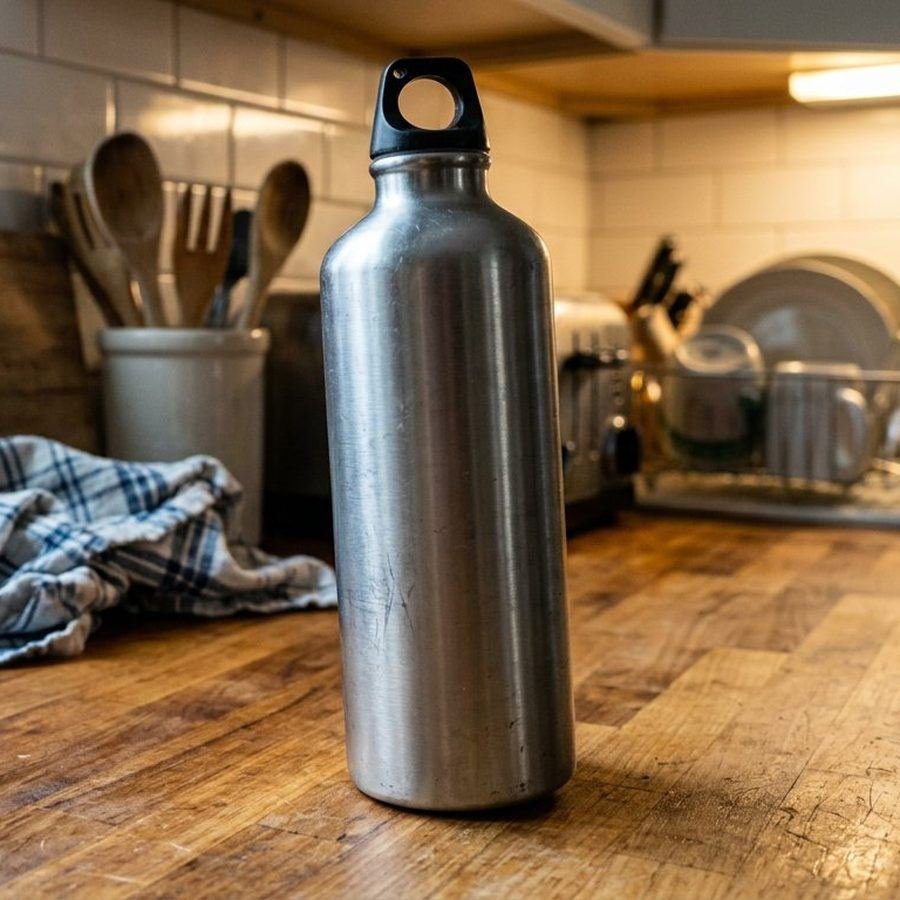
Drag the handle to compare. The left side is a raw shot: mixed lighting, a busy background, a cropped edge. The right side is the same product at main-image standard.

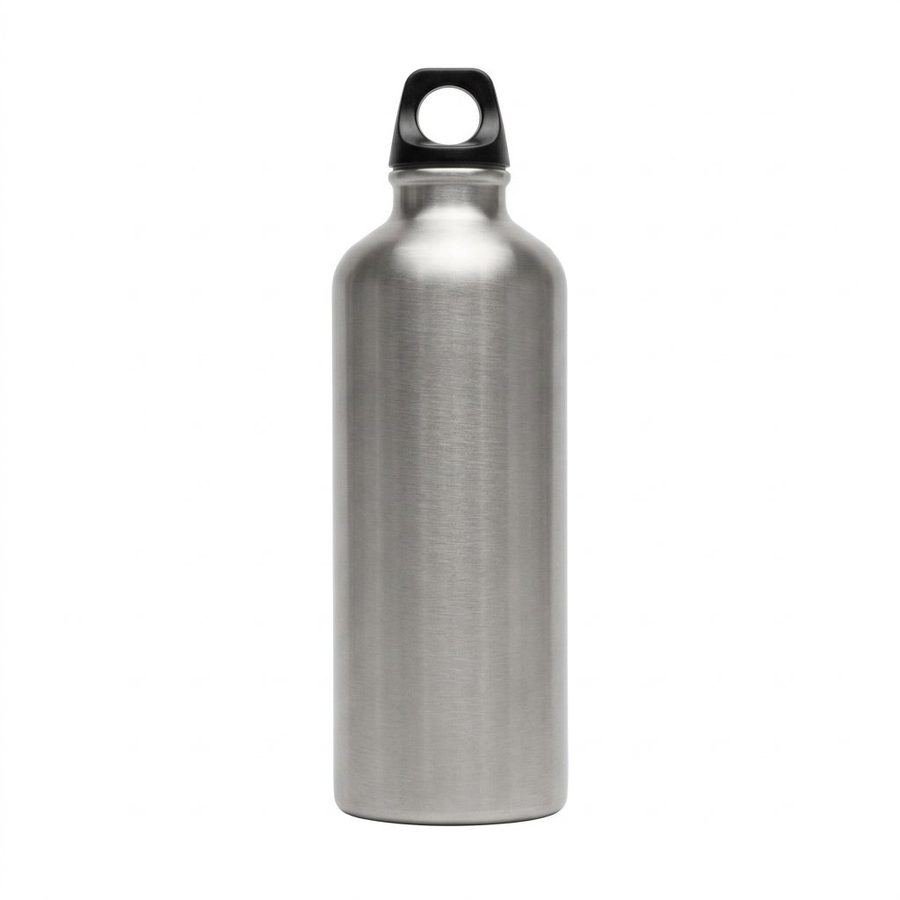
The same steel water bottle at main-image standard: centred on pure white, upright, colour corrected, with no props and no shadow. Raw Main-image standard

What changes between the raw shot and the main image

  • Background flattened to pure white
  • Colour corrected
  • Edges straightened
  • Dust and scuffs removed
  • No shadow on the main image, depth kept for lifestyle frames

Demo pair, generated for illustration. The raw shot is cropped to the bottle, and the retouch is a generated edit, so the two frames are not pixel-matched. Your product gets the same kind of work. Real client work is on our storefront.

On a real project, the retouch is checked against the physical product before it goes anywhere. Colour is compared with a reference under daylight-balanced light, and the product's shape, proportions and visible details are checked against the product itself, not against the edit.

What main-image editing covers

Every main image goes through background removal, colour correction against the physical product, dust and scratch retouching, edge cleanup and resizing to at least 2000 pixels on the longest side, so shoppers can zoom. The finished file is checked against Amazon's main-image rules before it is uploaded, which keeps the listing clear of image-related suppressions.

Where AI fits

Where Do AI Image Tools Fit in Our Workflow?

Instalog AI is an AI creative tool built for e-commerce images. A single brief can produce a set of up to seven images: a main image, a lifestyle scene, a dimensions view, feature callouts, a materials view, a comparison and a brand story frame.

Against our nine slots, the tool covers the drafts for most of them. It does not cover packaging. Anything that must be photographed, including the packaging, stays with the studio.

AI is not a substitute for a studio shoot. It is a faster way to draft the slots that do not need a physical camera, with a person checking every draft.

Some slots suit drafting, because they show a layout or a scene that does not depend on the physical object being photographed. Other slots depend on the product itself: its real colour, its real surface, and what is in the box. Those stay with a camera. The split is made per product, and the plan says which route each slot takes.

How each slot is made
SlotRouteWhat we check
S1 Main imageDraft with the toolMatches the physical product
S2 Alternate anglesStudio shootAngles of the real product
S3 Scale shotDraft or studioMeasured against the product
S4 Feature calloutsDraft with the toolEach callout against the product
S5 In-use lifestyleDraft with the toolGenerated people are tagged
S6 ComparisonDraft with the toolEvery claim before use
S7 Dimensions chartDraft with the toolMeasurements from the product
S8 Packaging and in-boxStudio shootPhotographed, not drafted
S9 Care and useDraft or studioSteps checked by the team

How a run works

How Do We Use Instalog AI, With a Human Check at Every Step?

One run produces a draft set. A person decides what happens next. The tool does not judge its own output, and nothing uploads until our team has approved it.

Brief, generate, review, check, revise and export Six steps in a row: brief, generate, review, rule check, revise and export. Each step is marked with the person responsible. 1Briefour team 2Generatethe tool 3Reviewa person 4Rule checkfive gates 5Reviseone logged round 6Exportevery format
Six steps, each with the person or tool responsible.
  1. Brief. The product facts, the slot map, the brand rules, and the claims we are allowed to make.
  2. Generate. One run produces the draft set for the slots that suit a draft.
  3. Review. A person checks every draft against the physical product.
  4. Rule check. The five gates and the infographic screen, every image.
  5. Revise. One logged round is included. Further rounds are named in the scope.
  6. Export. Files in each format and size the set needs.

What the brief contains

A brief holds the product facts we have verified, the slot map, the brand rules such as colour and typography, the claims we are allowed to make, and a list of things the image must not show. The tool works from that brief, so the quality of the brief decides much of the quality of the draft.

Review is a checklist, not a glance. A reviewer checks colour against the physical product, measurements against the product's specification, every printed claim against its source, and the absence of any unintended element such as a stray logo or a generated person. Only then does the image move to the rule check.

AI-made images

Which Rules Apply to AI-Made Images?

Amazon does not ban AI-made product images as such. The same accuracy and technical rules apply, and a rule on AI-generated people applies as well.

The main image

The main image must show the real product on pure white, product only. A generated main image is not used without a check against the physical product.

Generated people

A photorealistic person generated by AI is tagged before upload with the metadata keyword contains-synthetic-performer in the file's XMP subject field. Real people, including edited real people, are not tagged. Characters from films or games are not tagged.

Accuracy

Generated scenes and callouts are checked against the physical product. A mismatch in colour, size or features is the kind of error that leads to an item not as described return.

Read our note on Amazon's AI-person label.

The tag applies to photorealistic people generated entirely by AI. It does not apply to real people, even if a real photograph has been edited with AI tools, and it does not apply to characters from films, television or games. We apply the tag before upload, record which files carry it, and keep that record with the set.

Amazon's rules on this topic have been updated recently. We check the current guidance on every project and do not rely on a note written earlier.

From brief to upload

How Does an Image Set Get Made?

Six stations from brief to slot-in Brief and slot map, shoot or edit, design, review and revise, deliver, and slot in. Each station produces one output. Brief Shoot or edit Design Review Deliver Slot in
  1. Brief and slot map. SKUs mapped to slots. You approve the map before anything is shot.
  2. Shoot or edit. Your lane from the first section. Raw selects come back for review.
  3. Design. Infographics and callouts, with copy from our listing team.
  4. Review and revise. You see everything first. The revision round is logged.
  5. Deliver. Final files in every format and size the set needs.
  6. Slot in. Upload guidance, or a handoff to our catalogue desk if you want us to upload.

A typical product set takes 5 to 7 business days, agreed at the start of each project. Larger catalogues are scoped separately.

What you approve, and when

You approve the slot map before anything is shot or drafted, so the plan is agreed in writing. You approve the selected frames before design starts, and you approve the finished set before anything is exported for upload. Each approval is a named step in the written scope, so nothing moves on an unspoken agreement.

If a station produces something you did not expect, we say so at that station rather than at delivery. A raw selection that is too dark, for example, is reported at the shoot stage with options, not discovered after the design is finished.

Files and revisions

Who Owns the Files, and How Do Revisions Work?

The files

Each set ships with full-resolution masters and the working files. The ownership terms are written into the scope before work starts. Ask for them in writing at the first call.

The revisions

You preview every image before anything uploads. One revision round is included in each set. Further rounds appear as named lines in the written scope, never as a surprise.

Some platform imaging programmes and some high-volume studios keep source files or the rights to the images they make. Read the terms before you commit to any image provider, us included.

What a masters package contains

A masters package is the full-resolution set in each format the listing needs, the layered design files for infographics, the cut-out masks for each product image, the colour profile used, and a short note on which file is used in which slot. If a file needs changing later, the masters let us change it without a reshoot.

After the listing

Where Do These Images Go After the Listing?

One visual system feeds four places. Buying images from one desk ships one system. Buying desk by desk means briefing the brand four times.

Keeping the same images across these places also keeps the brand consistent. A shopper who sees the same product frame on the listing, in an advertisement and on the storefront recognises the product faster, and the brand looks like one business.

How projects are scoped

How Are Image Projects Scoped?

Single product

The full nine-slot stack for one product.

Catalogue batch

One consistent look across many listings.

Editing only

Your raw photos, graded honestly first.

A+ extension

Graphics for A+ Content modules.

The drivers are the number of SKUs, the lanes in use, the lifestyle scenes needed, and any A+ modules. The scope is written before work starts.

A scope document lists the products, the slots for each product, the lanes in use, the number of revision rounds, the files to be delivered, and the approvals at each station. It also says what is outside the scope, such as copy, A+ module layout or upload work, and links to the service that covers it.

Our Amazon product photography scope starts small. Start with a sample image edit: one image, before any scope is written. Request it here.

Why GrowithAmazon

Why GrowithAmazon for Product Photography

The slot doctrine

Nine jobs, not a photo count. Each slot answers a question the buyer asks.

The rule check

Every image is checked against the five gates before upload.

Files you keep

The terms are written into the scope before work starts.

A preview loop

Nothing uploads unseen. You approve each set first.

One team behind the lens

Listing copy, A+ modules and advertising creatives come from the same brief.

Each set has a clear owner on our side who answers for the brief, the review and the delivery. Listing copy, A+ modules and advertising creatives are planned from the same brief, so the images, the words and the ads describe the same product in the same way.

Every Amazon product photography project is checked by a person before it reaches a listing. We do not publish result numbers on this page. Our work is shown at our storefront.

Questions

Frequently Asked Questions

What types of Amazon images do you create?

Main product images on white, lifestyle images, infographic callouts, size and comparison charts, packaging shots, ingredient or material callouts, and A+ Content graphics.

What are Amazon's main image requirements?

Amazon's requirements include a pure white background (RGB 255, 255, 255), at least 1000 pixels on the longest side for zoom, a product that fills 85 percent of the frame, and no text, logos or props. We check against Amazon's current Seller Central page on every project, and we cite these rules as Amazon's requirements, not ours.

How many images should each listing have?

Amazon allows up to nine. We plan each slot around the question it answers, and we fill the slots the product needs. A few strong images are a better start than nine weak ones, so the plan begins with the slots that answer the first questions. Not every slot is visible by default on every device, so the order matters.

Do you shoot the product, or can you edit our existing photos?

Both. Lane A is a studio shoot from the product. Lane B rebuilds your raw photos to main-image standard. We grade the source first and tell you plainly if it is not sharp enough.

Who owns the final files?

Each set ships with full-resolution masters and the working files. The ownership terms are written into the scope before work starts, so ask for them in writing at the first call.

How many revision rounds are included?

One logged revision round is included in each set. Further rounds appear as named lines in the written scope, so you know what a change adds to the scope before it is made.

How long does a set take?

A typical product set takes 5 to 7 business days, agreed at the start of each project. Larger catalogues are scoped separately.

Can you create A+ Content graphics?

Yes. We design banner, comparison and feature graphics for A+ Content modules. The module copy and layout sit with our A+ Content service.

Do you use AI to create images, and how is it checked?

Yes, for drafts of the slots that do not need a physical camera. A person reviews every draft against the physical product, and every image passes the same five gates before upload. The brief is checked against the physical product, and a person approves each draft before the rule check. Packaging and any product that must be photographed stay with the studio.

Do AI-generated people need a label on Amazon?

Yes, when a photorealistic AI-generated person appears in listing or A+ images. We tag the file before upload with the metadata keyword contains-synthetic-performer. Amazon decides how any label appears to shoppers.

Next step

What's the Next Step?

Amazon product photography for your catalogue starts with one product. Related work: A+ Content writing, product listing, advertising management, store setup, account management, SEO services and catalogue maintenance. Guides: the launch guide, the listing audit checklist, and the PPC audit checklist.

See Your Own Product, Amazon-Ready

One product, one image, checked before you commit to a set.