

























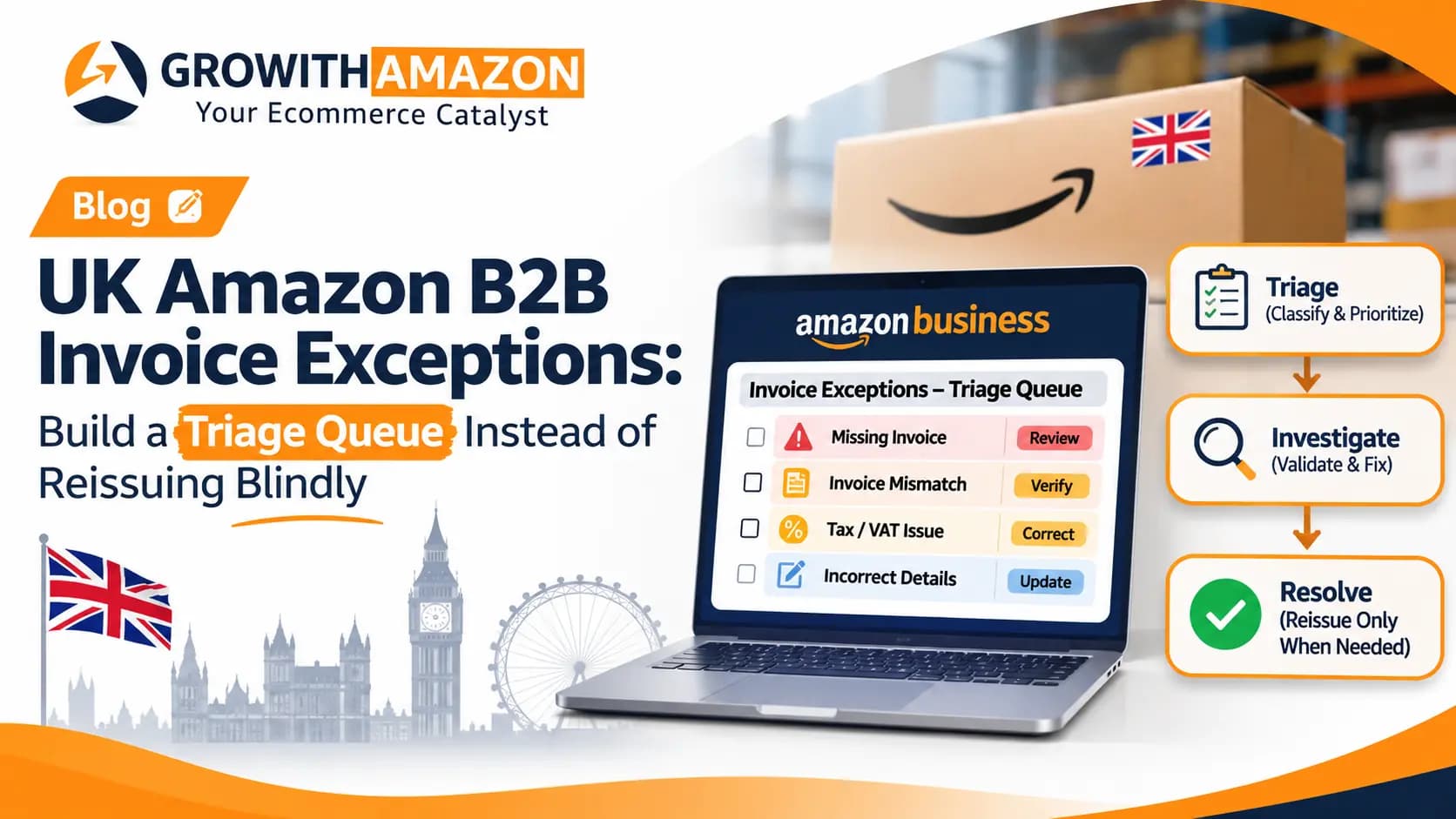
UK Amazon B2B Invoice Exceptions: Build a Triage Queue Instead of Reissuing Blindly
A buyer message lands: "the invoice is wrong." Someone creates a fresh PDF, uploads it to Seller Central and closes the ticket. Then there are two documents on one order, and nobody can say which number belongs on the next VAT return. This guide shows how to build a triage queue that classifies each invoice exception, assigns an owner, a deadline and a permitted action, and keeps your invoice defect rate and VAT records clean.
*By Rahul Bisht · 25 Nov 2026 · Sources checked 25 November 2026*
A buyer message lands: "the invoice is wrong." Someone on your team creates a fresh PDF, uploads it to Seller Central, and closes the ticket. It feels like the job is done. Then you discover there are now two documents attached to one order, and nobody in the business can say which number belongs on the next VAT return.
That is what happens when you reissue first and think second. Amazon Business VAT invoices UK sellers produce are governed by a one-business-day upload clock, and when any of them goes wrong, the fix is to classify the error before you touch the file, not to fire off a new PDF and hope. A late upload, a rejected file, a wrong buyer name, an incorrect VAT figure and a missing credit note are five completely different problems. They need five different fixes, different owners and different deadlines. A triage queue gives you exactly that, and this guide walks you through building one.
Quick Answer
Amazon's Business invoicing policy requires a valid VAT invoice within one business day of dispatch confirmation on Amazon.co.uk. When an invoice fails, classify the exception before reissuing anything. Late uploads, rejected files, wrong buyer details, incorrect VAT and missing credit notes are separate defects with separate fixes. A triage queue assigns each one a code, an owner, a deadline and a permitted action, so the fix matches the fault instead of simply overwriting it.
📦 Key Takeaways
- ●Amazon's clock is one business day after dispatch confirmation. HMRC's normal limit for issuing a VAT invoice is 30 days. Work to Amazon's, because it is the tighter one.
- ●Keep your Amazon invoice defect rate below 5%. On low B2B volume, a single missed invoice can break it.
- ●A new upload does not repair your books. Credit notes, supplementary invoices and VAT records may still be required.
- ●Never reuse an invoice number. Sequential, unique and traceable, every time.
- ●Hold any error that touches a tax value for someone who actually understands VAT before acting on it.
Table of Contents
- ●Amazon Business Invoicing Policy UK: The Clock That Matters Most
- ●Amazon Invoice Defect Rate: The Maths That Catches You Out
- ●Amazon UK VAT Invoice Requirements: The Pre-Upload Checklist
- ●Amazon Seller Invoice Errors: Why Blind Reissuing Makes Them Worse
- ●Amazon B2B Order Management: Five Questions Before You Touch the PDF
- ●The Invoice Exception Triage Queue
- ●Worked Example: VAT Calculated the Wrong Way
- ●Amazon VAT Invoice Corrections and Amazon Business Credit Notes
- ●Amazon Seller Central Invoice Upload: A Safe Retry
- ●Amazon VAT Invoice Automation Without Automating the Mistakes
- ●UK Amazon Seller Accounting: Tie the Order, the Document and the Ledger Together
- ●Frequently Asked Questions
Need an Amazon expert on your side?
Work with specialists who manage PPC, SEO, catalog, and account health together — so every part of your Amazon business moves in the same direction.
Book a Call TodayAmazon Business Invoicing Policy UK: The Clock That Matters Most
The Amazon Business invoicing policy requires every seller to provide business customers with a valid VAT invoice within one business day after dispatch is confirmed. If you are not registered for VAT, you must supply a receipt instead. Credit notes for returns are due within one business day of return confirmation. That public PDF is an older copy of the policy, so it is worth cross-checking it against the current Help page inside your Seller Central account before you rely on the wording.
In practice, you have three broad routes to producing these documents:
- 1.Amazon generates them through the VAT Calculation Service (VCS).
- 2.You generate them, or an eligible software provider does, using VCS tax data.
- 3.You create your own invoices and upload them through Manage Orders or a connected tool.
Sellers who are not required to register for UK or EU VAT can declare that status and let Amazon issue receipts on their behalf. If you are not sure which side of the registration line you fall on, start with our Amazon VAT guide for UK sellers, which covers the 2026 UK and EU rules in one place.
Need an Amazon expert on your side?
Work with specialists who manage PPC, SEO, catalog, and account health together — so every part of your Amazon business moves in the same direction.
Book a Call TodayAmazon Invoice Defect Rate: The Maths That Catches You Out
The Amazon invoice defect rate (IDR) is the share of Amazon Business orders in a measured period that do not have a compliant invoice uploaded on time. Amazon's UK seller forum announcement set a target below 5% from 5 April 2021 and warned that failure may lead to account deactivation. It also states plainly that invoices sent through Buyer-Seller Messaging count as missing. An upload through Manage Orders or a connected solution is what counts.
Small B2B volumes leave almost no room for error. The arithmetic below is simple, but it is the reason a single slip matters:
| Business orders in the measured period | Most defects you can have and stay below 5% | Resulting rate |
|---|---|---|
| 10 | 0 | 0% |
| 20 | 0 | 0% (one defect is exactly 5%) |
| 40 | 1 | 2.5% |
| 100 | 4 | 4.0% |
| 250 | 12 | 4.8% |
| 1,000 | 49 | 4.9% |
Always check the date range shown next to the metric in Account Health before you relax. For the wider picture of how these metrics feed into your account standing, see our Account Health Rating guide.
Need an Amazon expert on your side?
Work with specialists who manage PPC, SEO, catalog, and account health together — so every part of your Amazon business moves in the same direction.
Book a Call TodayAmazon UK VAT Invoice Requirements: The Pre-Upload Checklist
A full UK VAT invoice must carry the fields set out in VAT Notice 700, section 16.3. Treat this as your pre-upload check and run it against every document before it leaves your system.
| Field | Check before upload |
|---|---|
| Invoice number | Sequential and unique, never reused across documents |
| Dates | Tax point, plus issue date if the two differ |
| Your details | Name, address and VAT registration number. The registered name and address must appear even if you trade under another name |
| Customer | Name and address of the business you supplied |
| Lines | Description, quantity, unit price, VAT rate and amount excluding VAT |
| Totals | Total excluding VAT, any cash discount rate, and total VAT in sterling |
Two edge cases worth knowing: HMRC permits a simplified invoice for supplies of £250 or less if the customer agrees, and a pro-forma is not a VAT invoice. Also note that if a third party issues your invoices, the legal responsibility still sits with you.
Two clocks, one rule. HMRC normally allows 30 days from the tax point to issue a VAT invoice. Amazon gives you one business day after dispatch confirmation. Meeting the legal limit can still leave you with a defect on Amazon's books, because the two are not interchangeable.
Need an Amazon expert on your side?
Work with specialists who manage PPC, SEO, catalog, and account health together — so every part of your Amazon business moves in the same direction.
Book a Call TodayAmazon Seller Invoice Errors: Why Blind Reissuing Makes Them Worse
Reissuing changes what the buyer sees. It does not explain what went wrong, and it can quietly create a second problem while it "fixes" the first. Four things commonly go sideways.
The Original Still Exists
Your accounting system may now count the sale twice, once on the first document, once on the replacement.
The Newest File Wins
Amazon's developer guidance for self-created invoices allows several uploads per order as long as each carries a unique number, and treats only the latest as valid. A hurried second file can push a perfectly correct first one out of view.
VAT Is Not Corrected
If the first invoice overstated VAT, HMRC expects you to account for the higher amount unless you put it right with your customer by credit note.
The Root Cause Survives
A wrong product tax code or a broken address mapping will break the next order too. You have fixed one symptom and kept the disease.
Need an Amazon expert on your side?
Work with specialists who manage PPC, SEO, catalog, and account health together — so every part of your Amazon business moves in the same direction.
Book a Call TodayAmazon B2B Order Management: Five Questions Before You Touch the PDF
Before anyone uploads anything, answer these five questions on the open ticket. They take minutes and they prevent most repeat work.
1. Is a Document Already Attached to This Order?
Check Seller Central and your tool's upload logs, not just the ledger.
2. Is the Fault One of Delivery, Data or Tax?
A failed upload is a very different fix from a wrong figure.
3. Has the Original Already Gone Into a VAT Return?
If yes, your accountant decides the correction method, not the operations queue.
4. Has Money Gone Back to the Buyer?
That points toward a credit note, not a replacement invoice.
5. Who Is the Supplier for VAT Purposes on This Order?
If Amazon collected the VAT as deemed supplier, stop and check before issuing anything at all.
If nobody can answer question 1, you have a records problem before you have an invoice problem. The same one-key-per-order discipline we describe for idempotent PO intake is what stops one order producing two invoices.
Need an Amazon expert on your side?
Work with specialists who manage PPC, SEO, catalog, and account health together — so every part of your Amazon business moves in the same direction.
Book a Call TodayThe Invoice Exception Triage Queue
Here is the working model. One row is one exception on one order. The codes and priorities below are our suggested operating model, not Amazon or HMRC categories, but they make the queue unambiguous, which is the whole point.
| Code | Exception | First action | Do not | Owner | Priority |
|---|---|---|---|---|---|
| X1 | No document on a dispatched order | Create or fetch it, validate against the checklist, upload | Send it through buyer messaging instead | Operations | P1 |
| X2 | Upload rejected or stuck | Read the error, check whether it actually landed, retry the same document | Raise a new invoice number just to force it through | Operations | P1 |
| X3 | Credit note missing after a return | Confirm return and refund, raise the credit note, upload | Edit the original invoice | Finance | P1 |
| X4 | VAT rate or amount wrong | Hold, quantify the difference, choose the correct correction document | Overwrite with a silent replacement | Finance | P2 |
| X5 | Order total and invoice total differ | Compare items, delivery charges, promotions and rounding | Force the figures to match each other | Finance | P2 |
| X6 | Buyer name or address wrong | Verify against order data, correct under your written policy | Take new details from an unverified message | Operations | P2 |
| X7 | Two documents on one order | Freeze uploads, identify which document is booked and which is latest | Upload a third | Finance | P2 |
| X8 | Seller name or VAT number wrong | Stop the template, find every order it has touched | Fix one order at a time and move on | Finance lead | P1 |
| X9 | Receipt versus VAT invoice unclear | Confirm VAT status and your Amazon exemption setting | Show VAT on a receipt if you are not registered | Finance lead | P2 |
P1 means act the same business day. P2 means assign today and agree a due time before the relevant deadline. And move any item up to P1 if Amazon's first deadline is still open and about to close. The priority is not fixed, it follows the clock.
Fields Every Row Needs
| Field | Why it matters |
|---|---|
| Order ID and shipment ID | Joins the queue row back to Amazon |
| Dispatch or return confirmation time | Starts the one-business-day clock |
| Due time | Calculated the same way every time, one business day out |
| Exception code | Chooses the fix route from the table above |
| Existing document numbers | Prevents duplicates and lost records |
| Net, VAT and gross: expected vs. shown | Sizes the tax effect before anyone acts |
| Included in a VAT return? | Triggers accountant review immediately |
| Action taken, new document number, upload result | Proves what happened, for the audit trail |
| Root cause | Feeds the weekly fix loop |
Need an Amazon expert on your side?
Work with specialists who manage PPC, SEO, catalog, and account health together — so every part of your Amazon business moves in the same direction.
Book a Call TodayWorked Example: VAT Calculated the Wrong Way
These figures are invented for illustration. A buyer pays £480 including 20% VAT. The template takes 20% of £480 and shows £384 net plus £96 VAT.
| Line | Shown on invoice | Correct |
|---|---|---|
| Net | £384.00 | £400.00 |
| VAT | £96.00 | £80.00 |
| Gross | £480.00 | £480.00 |
VAT inside a 20% inclusive price is one sixth of the gross, so £480 ÷ 6 = £80. The gross total looks perfectly right, which is exactly why this error slips through a casual review. It is an X4: VAT overstated by £16.
Under Notice 700, section 19.8, a correcting credit note or supplementary invoice must reference the original number and date and show both the incorrect VAT and the correct VAT. Finance picks the document, then someone fixes the template and searches for every other order it touched. That last step is what stops an X4 from becoming thirty X4s.
Need an Amazon expert on your side?
Work with specialists who manage PPC, SEO, catalog, and account health together — so every part of your Amazon business moves in the same direction.
Book a Call TodayAmazon VAT Invoice Corrections and Amazon Business Credit Notes
Choose the document by what actually changed. Confirm your approach with your accountant before you standardise on this table.
| Situation | Usual route |
|---|---|
| Correct document never uploaded | Upload it. No correction needed |
| Return or agreed price reduction | Credit note |
| VAT or value overstated | Credit note linked to the original |
| VAT or value understated | Supplementary invoice, and account for the correct VAT |
| Non-value detail wrong (name, address) | Written policy, often full credit and a new invoice |
| Error already on a filed VAT return | Correct under VAT Notice 700/45 |
For Amazon Business credit notes, two timings apply at once. Amazon's policy requires the credit note within one business day of return confirmation. HMRC requires a valid VAT credit note to be issued within 14 days of the refund payment. Always plan for the earlier of the two.
A valid credit note carries its own number and date, your supplier name, address and VAT number, the customer's name and address, what is being credited, quantities and amounts, the total excluding VAT, the VAT rate and amount in sterling, and the original invoice number and date. It must reflect a genuine mistake or reduction and give the customer real value, and it should use the VAT rate that applied to the original supply.
HMRC also permits no VAT adjustment where the customer can recover all of the tax and both sides agree. If you use that route, the note should state clearly that it is not a credit note for VAT, and remember that this does not, by itself, satisfy Amazon's document requirement.
Need an Amazon expert on your side?
Work with specialists who manage PPC, SEO, catalog, and account health together — so every part of your Amazon business moves in the same direction.
Book a Call TodayAmazon Seller Central Invoice Upload: A Safe Retry
When an upload fails or its outcome is unclear, the retry itself is where duplicates get created. Work the sequence deliberately.
Step 1: Open the Order and Check for an Existing Document
Check whether a document is already attached before you do anything else.
Step 2: Confirm the File and the Order
Confirm the file is a PDF, and that it belongs to the right order and marketplace.
Step 3: Match the Invoice Number
Match the invoice number inside the file to the number you are submitting.
Step 4: Mark the Document Type Correctly
Mark it correctly as an invoice or a credit note. They are different document types.
Step 5: Record the Result
Treat "submitted" and "accepted" as different states.
Step 6: If the Outcome Is Unknown, Check First
Check before sending anything again.
Need an Amazon expert on your side?
Work with specialists who manage PPC, SEO, catalog, and account health together — so every part of your Amazon business moves in the same direction.
Book a Call TodayAmazon VAT Invoice Automation Without Automating the Mistakes
If you build your own tooling, the UPLOAD_VAT_INVOICE feed in the Selling Partner API handles invoice uploads, and you need the Tax Invoicing role granted to do it. Amazon's guidance requires an order ID or shipment ID and an invoice number for sellers using their own tax data; credit notes are flagged with a document type and carry a transaction ID. The documented rate limit is one upload every three seconds.
Automate these gates in order, because each one catches a different failure:
- ●Block missing fields and repeated invoice numbers before anything is sent.
- ●Recalculate line VAT and totals with one rounding rule, always.
- ●Store the key (order, shipment, document type, number) before sending.
- ●Read the processing result and route failures straight into the triage queue.
- ●Pause the whole template when seller identity or tax logic fails, not just the failing order.
If you consume VCS data, Amazon's VAT service documentation lists the specific rejection errors it can raise: non-PDF files, marketplace mismatches, invoices already present. Map each one to a queue code the moment you see it. If you need to recover gaps after an outage, our SP-API replay and backfill runbook covers the full procedure.
Need an Amazon expert on your side?
Work with specialists who manage PPC, SEO, catalog, and account health together — so every part of your Amazon business moves in the same direction.
Book a Call TodayUK Amazon Seller Accounting: Tie the Order, the Document and the Ledger Together
Good UK Amazon seller accounting keeps three records in step: the order in Seller Central, the document attached to it, and the ledger entry in your accounts. Once a week, confirm that:
- ●Every dispatched Business order has an invoice or a receipt attached.
- ●Every confirmed return or refund has been reviewed for a credit note.
- ●Each order has exactly one current document, with its history preserved.
- ●Every credit note links back to its original invoice.
- ●VAT totals by rate agree with the ledger.
Watch row-level grain when you join orders, refunds and documents. One order can generate several events, and joining at the wrong level is how a single sale gets counted twice. Our report grain audit shows how to check that before the numbers go into a dashboard. And if you sell both as a vendor (1P) and as a third-party seller (3P), keep your sell-in, sell-out and inventory ledgers strictly separate. Our guide on running 1P and 3P together covers why mixing them corrupts every figure downstream.
Track five numbers on a simple weekly scorecard: IDR, documents uploaded on time, open exceptions by code, the oldest open item, and repeat root causes. If X2 (rejected uploads) rises, look at the connection. If X4 (tax errors) rises, look at your product tax settings. The queue tells you where to look; the scorecard tells you whether the fix worked.
Ready to Build Your Next Amazon Success Story?
If you're facing low sales, rising ACOS, inventory challenges, or declining performance, our Amazon agency can help. Book a free strategy consultation and discover the opportunities that can transform your business.
Frequently Asked Questions
Answers to the most common questions about this topic.
1. How long do I have to upload Amazon Business VAT invoices UK sellers must provide?
2. What invoice defect rate does Amazon require?
3. Can I send the invoice through Buyer-Seller Messaging?
4. Do sellers who are not VAT registered need to send anything?
5. Should I delete a wrong invoice and issue a new one?
6. When is an Amazon Business credit note due?
7. Does uploading a corrected invoice fix my VAT return?
8. What is an invoice exception triage queue?
Explore the latest Amazon insights, content, and optimization guides trending with sellers in 2026.
Written by Rahul Bisht